
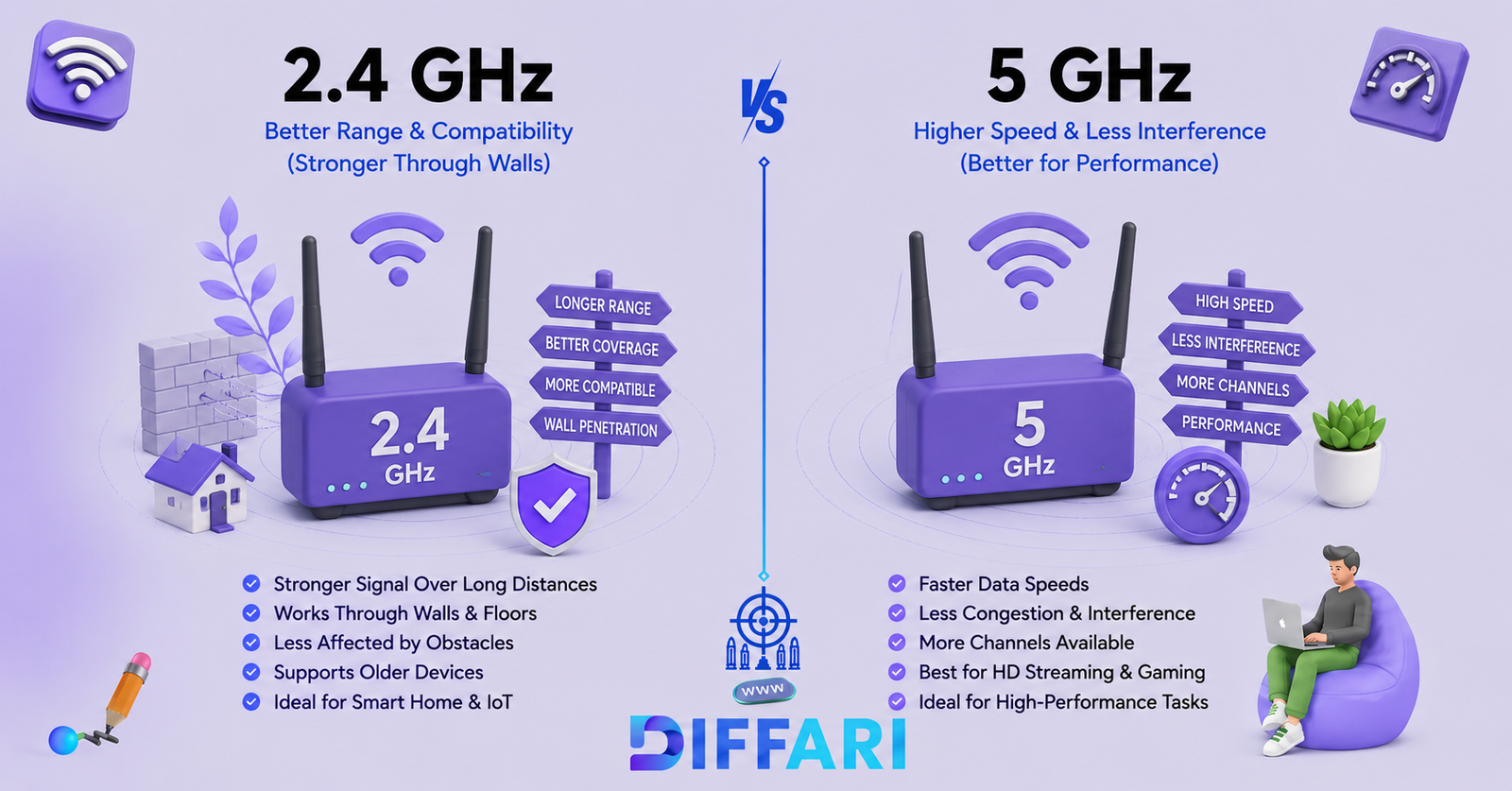

The difference between 2.4 GHz and 5 GHz Wi-Fi mainly comes down to a tradeoff between coverage and performance. The 2.4 GHz band generally travels farther and handles walls and obstacles better, while 5 GHz usually provides higher throughput at shorter distances.
Neither band is automatically better. If your device is close to the router and you want faster downloads, streaming, gaming, or video calls, 5 GHz is often the better choice. If the device is farther away, separated by several walls, or only supports 2.4 GHz, the 2.4 GHz band may provide the more reliable connection.
The important point is that GHz does not directly mean internet speed. Your actual Wi-Fi performance also depends on the router, Wi-Fi standard, channel width, signal strength, interference, device capabilities, and network conditions.
Quick Answer
2.4 GHz Wi-Fi generally offers longer range and better obstacle penetration, but it is more susceptible to congestion and usually provides lower throughput.
5 GHz Wi-Fi generally offers higher throughput and more channel capacity, but its signal does not travel as far or through obstacles as effectively.
In simple terms:
Choose 2.4 GHz for range and compatibility. Choose 5 GHz for speed and performance when you are reasonably close to the router.
Both can be useful, and many modern routers support both simultaneously.
2.4 GHz vs 5 GHz at a Glance
| Feature | 2.4 GHz | 5 GHz |
| Main advantage | Longer range | Higher throughput |
| Coverage | Generally longer | Generally shorter |
| Through walls | Better | Weaker |
| Typical congestion | Higher | Usually lower |
| Channel availability | More limited | More channel choices |
| Device compatibility | Very broad | Broad on modern devices |
| Best for | Distance, IoT, basic connectivity | Streaming, gaming, downloads |
| Best location | Farther from router | Closer to router |
The exact performance depends on the Wi-Fi generation, router, client device, channel configuration, interference, and physical environment.
What Is 2.4 GHz Wi-Fi?
2.4 GHz Wi-Fi is a wireless networking band that uses radio frequencies around 2.4 gigahertz to communicate between compatible devices and a router or access point.
Its biggest practical advantage is coverage. Compared with 5 GHz, 2.4 GHz signals generally travel farther and pass through walls and other obstacles more effectively. That makes the band useful when a device is located several rooms away from the router.
The tradeoff is that the 2.4 GHz band has less usable channel space and is commonly more crowded. Wi-Fi devices share this spectrum with other technologies, including Bluetooth and some household equipment, which can contribute to interference.
2.4 GHz is useful for:
- Devices far from the router
- Smart-home devices
- Older wireless devices
- Basic browsing and email
- Devices separated from the router by multiple walls
- Situations where stable coverage matters more than maximum throughput
What Is 5 GHz Wi-Fi?
5 GHz Wi-Fi is a higher-frequency wireless networking band commonly used by modern routers and devices.
Its major advantage is higher potential throughput. The 5 GHz band provides more channel options and can support wider channels than 2.4 GHz under appropriate Wi-Fi standards and configurations. That gives compatible devices more opportunity to achieve high data rates.
However, 5 GHz signals generally lose strength more quickly over distance and do not pass through walls and floors as effectively as 2.4 GHz signals.
5 GHz is useful for:
- 4K or high-resolution streaming
- Online gaming
- Large downloads
- Video conferencing
- Modern smartphones and laptops
- Devices located relatively close to the router
What Is the Difference Between 2.4 GHz and 5 GHz?
The fundamental difference is the radio frequency used by the Wi-Fi connection.
Because the bands have different radio characteristics, they behave differently in a home or office.
1. Speed and Throughput
5 GHz generally provides higher throughput than 2.4 GHz.
One reason is that 5 GHz offers more usable spectrum and more opportunities for wider Wi-Fi channels. Modern Wi-Fi technologies can therefore achieve substantially higher data rates on 5 GHz under suitable conditions.
However, it is incorrect to say:
“5 GHz always means faster internet.”
Your internet connection might be slower than either Wi-Fi band’s potential capacity. In addition, a weak 5 GHz signal can perform worse than a strong 2.4 GHz connection.
2. Range
2.4 GHz generally has greater range than 5 GHz.
Lower-frequency radio signals typically maintain useful coverage over greater distances and handle obstacles better. This is why a device in a distant room may still have a strong 2.4 GHz connection when its 5 GHz signal has become weak.
There is no universal range number because walls, floors, construction materials, router placement, antennas, interference, and device design all affect coverage.
3. Wall and Obstacle Penetration
2.4 GHz generally performs better through walls and other obstacles.
That does not mean 2.4 GHz passes through every wall easily. It simply tends to retain useful signal strength better than 5 GHz when obstacles and distance are involved.
This makes 2.4 GHz especially useful in larger homes or rooms that are far from the access point.
4. Interference and Congestion
2.4 GHz is generally more crowded.
The band is widely used by Wi-Fi and other wireless devices. It also has fewer non-overlapping Wi-Fi channels than 5 GHz, making congestion more likely in areas with many nearby networks.
5 GHz usually offers more channel choices and is often less congested, although that does not mean it is immune to interference. Busy apartment buildings, offices, and public spaces can also have significant 5 GHz traffic.
5. Device Compatibility
2.4 GHz has extremely broad compatibility, including many older and low-power smart-home devices.
Some older devices support only 2.4 GHz. Microsoft notes that a wireless adapter may fail to connect if it does not support the frequency band being broadcast by the network.
Most modern smartphones, laptops, tablets, gaming devices, and streaming products support 5 GHz, but compatibility should still be checked when dealing with older equipment.
When to Use 2.4 GHz
Choose 2.4 GHz when coverage is more important than maximum speed.
It is often the better option when:
- Your device is far from the router.
- Several walls separate the device from the router.
- Your device only supports 2.4 GHz.
- You are connecting a smart-home device.
- You need a reliable connection for a low-bandwidth task.
- The 5 GHz signal is too weak at the device’s location.
For example, a smart sensor in a distant part of your home may work perfectly on 2.4 GHz even though 5 GHz is unreliable in that location.
When to Use 5 GHz
Choose 5 GHz when your device is close enough to the router to maintain a strong signal and you want higher performance.
It is often preferable for:
- Online gaming
- High-resolution video streaming
- Large downloads
- Video calls
- Modern laptops
- Modern smartphones
- Gaming consoles
- High-bandwidth local network transfers
Microsoft similarly recommends 5 GHz for faster-throughput activities such as streaming and gaming, while describing 2.4 GHz as suitable for basic tasks and longer-range connections.
2.4 GHz vs 5 GHz for Common Activities
| Activity | Usually Better Choice | Why |
| Web browsing near router | 5 GHz | More available throughput |
| Web browsing far from router | 2.4 GHz | Better coverage |
| 4K streaming near router | 5 GHz | Higher throughput |
| Online gaming near router | 5 GHz | Better capacity when signal is strong |
| Smart bulbs | 2.4 GHz | Broad compatibility and range |
| Smart sensors | 2.4 GHz | Usually sufficient bandwidth |
| Large downloads | 5 GHz | Higher potential throughput |
| Video calls | 5 GHz | Useful when signal is strong |
| Device several rooms away | 2.4 GHz | Better coverage |
| Older Wi-Fi device | 2.4 GHz | More likely to support it |
These are practical guidelines rather than absolute rules. The best band is the one that provides the strongest and most suitable connection where the device is actually being used.
Common Collocations and Technical Phrases
Natural phrases commonly associated with this topic include:
2.4 GHz
- 2.4 GHz Wi-Fi band
- 2.4 GHz network
- 2.4 GHz signal
- 2.4 GHz frequency
- 2.4 GHz coverage
- 2.4 GHz interference
5 GHz
- 5 GHz Wi-Fi band
- 5 GHz network
- 5 GHz signal
- 5 GHz frequency
- 5 GHz throughput
- 5 GHz connection
Comparison Terms
- Wi-Fi frequency band
- wireless range
- signal strength
- channel congestion
- network interference
- wireless throughput
- dual-band router
- Wi-Fi compatibility
Common Mistakes With 2.4 GHz and 5 GHz
Incorrect:
5 GHz Wi-Fi means I have a faster internet plan.
Correct:
5 GHz can provide higher Wi-Fi throughput than 2.4 GHz under suitable conditions.
Why: The frequency band is only one part of your connection. Your ISP plan, router, Wi-Fi standard, device, signal strength, and network conditions also affect performance.
Incorrect:
2.4 GHz is always slower than 5 GHz.
Correct:
5 GHz generally offers higher potential throughput, but a strong 2.4 GHz connection can outperform a weak 5 GHz connection.
Why: Distance, walls, interference, and signal strength can change real-world performance.
Incorrect:
5 GHz is always better.
Correct:
5 GHz is usually better for higher-throughput activities near the router, while 2.4 GHz is often better for longer-range coverage.
Why: The two bands are designed around different tradeoffs.
Incorrect:
5 GHz is the same thing as 5G.
Correct:
5 GHz is a Wi-Fi frequency band; 5G is a generation of cellular mobile networking technology.
Why: The names look similar, but they refer to different technologies.
5 GHz vs 5G: Are They the Same?
No.
This is one of the most common sources of confusion.
5 GHz refers to a radio-frequency band used by Wi-Fi.
5G refers to a generation of cellular mobile networking.
A phone can use:
- 5G cellular data
- 5 GHz Wi-Fi
- 2.4 GHz Wi-Fi
These are separate technologies.
The “5” in 5 GHz represents a frequency around five gigahertz. The “5” in 5G refers to the fifth generation of cellular network technology.
Are 2.4 GHz and 5 GHz Interchangeable?
They are interchangeable in the sense that compatible devices can often connect to either band, but they are not identical in performance or behavior.
If a device is close to the router and needs high throughput, 5 GHz may be preferable.
If the device is far away or separated by several obstacles, 2.4 GHz may provide a stronger and more useful connection.
Some routers automatically steer compatible devices between bands, while others expose separate network names. Microsoft notes that routers may broadcast multiple bands under separate or shared network names depending on their configuration.
What About 6 GHz Wi-Fi?
Modern Wi-Fi has expanded beyond 2.4 GHz and 5 GHz.
6 GHz Wi-Fi is available with newer technologies such as Wi-Fi 6E and Wi-Fi 7. It can provide very high throughput and additional spectrum, but its shorter range and hardware requirements make it different from both 2.4 GHz and 5 GHz.
For most people comparing 2.4 GHz and 5 GHz, however, the practical rule remains simple:
2.4 GHz prioritizes coverage; 5 GHz prioritizes higher performance at shorter range.
How to Remember the Difference
Use this simple rule:
2.4 GHz = farther
5 GHz = faster nearby
Or think:
2.4 GHz → Reach
5 GHz → Performance
This is a memory aid, not an absolute technical rule. Actual performance depends on the equipment and environment.
Which One Should I Use?
Use this quick guide:
your device is far from the router → choose 2.4 GHz.
several walls are between your device and router → try 2.4 GHz.
your device is close to the router and you want higher throughput → choose 5 GHz.
For gaming or high-resolution streaming near the router → 5 GHz is usually the better starting point.
For many smart-home or older devices → 2.4 GHz may be the better choice.
If 5 GHz gives you a weak signal → 2.4 GHz may actually work better.
The best choice should ultimately be based on performance at the device’s actual location. Running a speed test in different areas of the home is a practical way to compare the connection rather than relying only on theoretical specifications.
X or Y? Practice Examples
Choose 2.4 GHz or 5 GHz.
- Your gaming laptop is two feet from the router and you want maximum Wi-Fi throughput.
- A smart sensor is installed several rooms away.
- Your older device does not support 5 GHz.
- Your smart TV is close to the router and you regularly stream high-resolution video.
- Your phone is in a distant room where the 5 GHz signal is very weak.
- You want to download a large file while sitting close to the router.
- A smart-home device only supports 2.4 GHz.
- You are making a video call near a router with a strong 5 GHz signal.
Answers
- 5 GHz — the device is close to the router and needs high throughput.
- 2.4 GHz — longer-range coverage is more important.
- 2.4 GHz — the device does not support 5 GHz.
- 5 GHz — the device is close to the router and streaming benefits from higher throughput.
- 2.4 GHz — the longer-range band may provide a stronger connection.
- 5 GHz — higher throughput is desirable when the signal is strong.
- 2.4 GHz — compatibility determines the choice.
- 5 GHz — the device is close to the router and has a strong signal.
Frequently Asked Questions
What is the main difference between 2.4 GHz and 5 GHz?
The main practical difference is that 2.4 GHz generally provides longer range and better obstacle penetration, while 5 GHz generally provides higher throughput at shorter range.
Is 5 GHz faster than 2.4 GHz?
Usually, yes. 5 GHz generally supports higher Wi-Fi throughput because it provides more usable channel capacity and can support wider channels with compatible Wi-Fi technologies. However, actual performance depends on signal strength, hardware, interference, and other factors.
Which has better range, 2.4 GHz or 5 GHz?
2.4 GHz generally has better range. It also tends to maintain connectivity through walls and other obstacles better than 5 GHz.
Which is better for gaming, 2.4 GHz or 5 GHz?
5 GHz is usually preferable for gaming when the gaming device is close enough to the router to maintain a strong signal. It can provide higher throughput and less congestion. If the 5 GHz signal is weak because of distance or walls, 2.4 GHz may provide a more stable connection.
Which is better for streaming?
For a device relatively close to the router, 5 GHz is usually the better choice because of its higher potential throughput. For a distant device where 5 GHz has become weak, 2.4 GHz may be more reliable.
Is 2.4 GHz better through walls?
Generally, yes. 2.4 GHz tends to penetrate walls and other obstacles more effectively than 5 GHz, which contributes to its longer usable range.
Why is my 2.4 GHz Wi-Fi sometimes slow?
The 2.4 GHz band is commonly more congested and has fewer non-overlapping Wi-Fi channels. Nearby wireless networks and other devices sharing the spectrum can reduce performance.
Why is my 5 GHz Wi-Fi weaker than 2.4 GHz?
5 GHz generally loses signal strength more quickly with distance and obstacles. A 5 GHz connection can therefore become weaker in another room even when 2.4 GHz remains usable.
Can my router use 2.4 GHz and 5 GHz at the same time?
Yes. Many modern routers are dual-band and can broadcast both bands. Some routers use separate network names, while others use one network name and automatically steer compatible devices between bands.
Is 5 GHz the same as 5G?
No. 5 GHz is a Wi-Fi frequency band, while 5G is a cellular network generation.
Should I use 2.4 GHz or 5 GHz?
Use 5 GHz when you are relatively close to the router and want higher throughput. Use 2.4 GHz when you need greater coverage, better obstacle handling, or compatibility with older or smart-home devices.
Conclusion
The difference between 2.4 GHz and 5 GHz is ultimately a tradeoff between coverage and performance. The 2.4 GHz band generally reaches farther, works better through obstacles, and supports a very broad range of devices. The 5 GHz band generally provides higher throughput and more channel capacity, making it a strong choice for gaming, streaming, downloads, and other demanding tasks when the device is close enough to the router.

Sajid Ali is an English language educator and content specialist with 7+ years of teaching experience. He holds master’s degrees in Information Technology and Education from the Virtual University of Pakistan and writes SEO-optimized, learner-friendly vocabulary content for diffari.com.